Admin System
MSP Photography
MSP Photography supports large-scale photo management workflows across Australia. My work focused on improving the internal platform handling thousands of visual assets.
- Role
- Lead Product Designer
- Focus
- UX/UI design for internal interfaces, asset workflow optimization
Problem
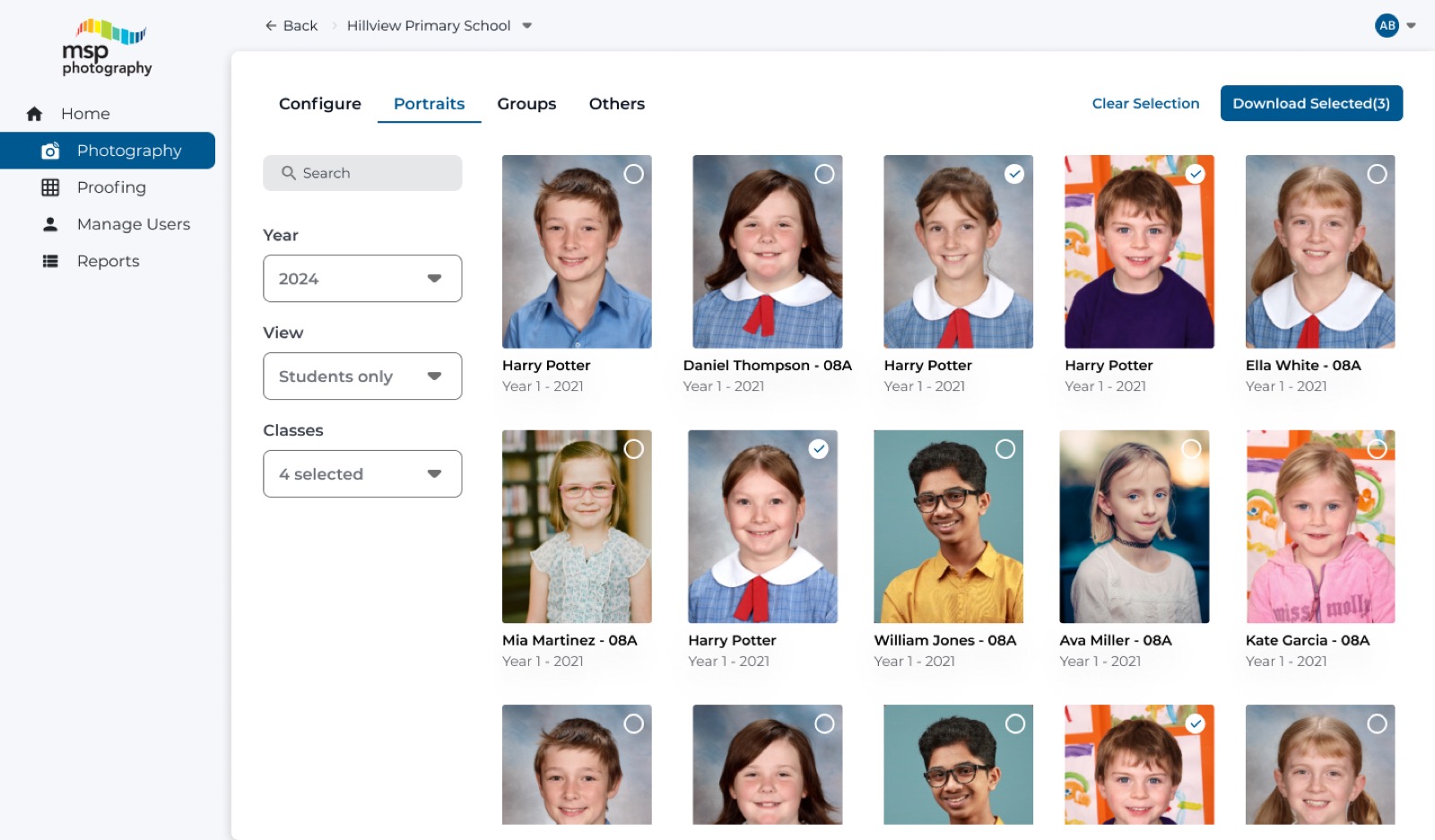
Admins were sorting through large photo libraries across events, schools, and teams and needed faster access to specific items.
Responsibilities
- Aligned stakeholder input with photo-management workflows, admin needs, and operational constraints.
- Designed the UX and UI for the internal admin interface used to manage photos.
- Simplified workflows for organizing and managing image assets.
- Created high-fidelity UI mockups and prototypes.
- Worked with stakeholders to refine features and improve usability.
- Iterated on designs based on product-team feedback.
Key Challenges
- Untangling a complex information architecture built around large photo volumes and many organizing variables.
- Keeping all required tools accessible while making the system easier to navigate.
Design Decisions
- Simplified the navigation structure to reduce confusion in the admin interface.
- Introduced familiar UI patterns to improve usability and shorten the learning curve.
- Reorganized photo-management tasks into clearer logical steps.
- Reduced visual clutter and improved content hierarchy.
Outcome & Impact
Admins could handle large photo libraries with less friction and noticeably better day-to-day efficiency.
- Organized photo-review work into clearer steps for administrators.
- Helped admins sort, locate, and act on large batches of images more efficiently.
- Kept supporting tools accessible without crowding the main workflow.
- Reduced training overhead by making the interface easier to learn and revisit.
Related Case Studies
Need this kind of work?
MSP franchise photography
1 / 6
Related Case Studies